npm packages
Node and npx ship in the image, so npx -y … servers run with no extra setup.
Stop running the same servers in every client and pasting the same API keys into five config files. mcpelevator runs all of your MCP servers in one self-hosted container, gives each one an authenticated URL, and lets roles, ownership and scoped tokens decide who can see, run and call what.
Reach your servers from
Consolidate
Every client keeps its own list of servers, its own copies of your keys, and its own way of launching them. Your phone can't launch anything at all. mcpelevator runs each server once, on hardware you control, and every client points at it.
Access control
Admins and members, per-user server ownership, and tokens scoped to one server, one group or everything. The rules live in one place in the code, so the UI, the API and an agent on the control MCP all get the same answer. Pick a person to see what they get.
Servers
Can do
Tokens they can mint
Every server has an owner. Admins see and manage all of them. Members see only their own, and anything else returns 404, the same as a server that doesn't exist, so ids and slugs don't leak. Settings, groups and users are admin-only. An admin can hand a server to someone else without restarting it.
all | every bearer-protected server and group |
srv_… | one server and nothing else |
group:team | the /g/team/mcp bundle only |
control | the control plane, as a login |
MCPE_ADMIN_TOKEN always works, and the last admin can't be demoted or deleted.How it works
FastMCP does the protocol bridging. mcpelevator is the control plane around it: it supervises the processes, checks every request, and gives you a UI and an API to run it all from.
Paste a launch command, a Docker image, a remote URL, an OpenAPI document or a GraphQL endpoint. Or import a whole mcpServers config, or install from the public MCP registry.
Each server gets its own bridge process on a loopback port, with a real PID and its own log, so one crash doesn't take the rest down. SQLite holds what you asked for and the supervisor keeps converging to it, even across restarts.
The copy menu has a ready config for Claude Code, Claude Desktop, Claude web and mobile, Codex, ChatGPT, Gemini CLI, VS Code and plain mcpServers. Paste it and you're connected.
Runners
A runner is just how a server gets started. All of them end up behind the same auth, supervision, ownership and copy menu.
Node and npx ship in the image, so npx -y … servers run with no extra setup.
Python servers run through uv. A native build toolchain is in the image for packages that compile on install.
Any command line, including a server cloned from a GitHub repo and built from its own checkout.
Runs images with a locked-down docker run. Off by default, since Docker daemon access is root-equivalent.
Proxies an existing HTTP or SSE MCP URL behind your own auth. Sign in to the upstream with headers or OAuth.
Point it at an OpenAPI document, pasted or by URL, and every operation becomes a tool.
Each query and mutation field becomes a tool, validated against the schema before it's sent.
A built-in control server lets an agent do anything the UI can, with the caller's own permissions.
Features
Getting a stdio server onto HTTP is the easy part. Keeping a dozen of them up, locked down, shared and debuggable is where the time goes.
Desired state in SQLite, converged by a supervisor, Kubernetes-style. Failed starts retry with backoff, and the card shows the last error and the log tail, so you're not guessing.
Servers nobody has called in a while get stopped. The next request wakes one and waits until it's ready, so the client just sees a slower first call.
Bundle servers behind one URL. Tools get the member's slug as a prefix, and connected clients hear about membership changes right away.
Hide a tool, rename it, rewrite its description, or add aliases so old names keep working. It applies to MCP, REST and groups at once.
Turn on REST and every tool is also a plain POST, with a generated openapi.json for curl, automations and GPT Actions.
Mark an env var or header as secret and it's encrypted at rest and reads <hidden> from then on. It's decrypted in one place, right before launch.
Hourly call counts for every server and tool, and never the arguments. You find out which tools get used and which ones nobody touches.
mcp-remote.all, one server, group:<name> or control, hashed and shown once.mcpServers file. Servers land disabled for review.Agents
Every install ships a built-in mcpelevator server with 43 tools. An agent can install servers, read logs, build groups and mint tokens, the same things you'd click through in the UI.
/api route the UI uses, carrying the caller's token. A member's agent sees the member's servers and nothing more."*" group never picks up the admin tools. It joins a group only when you name it.Screens
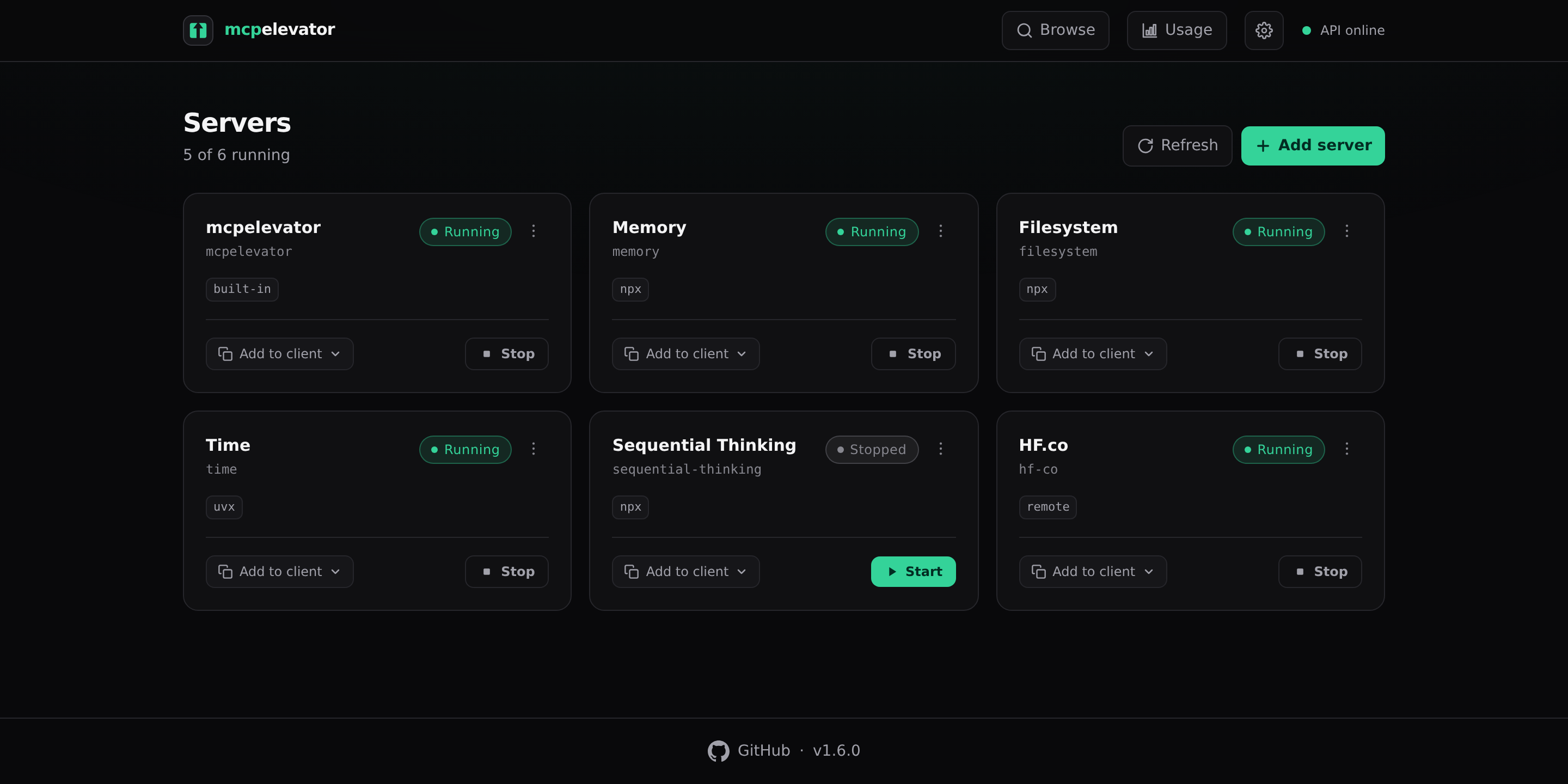
Dark, dense and calm. Green means live, and everything else stays dim until it needs you. These are real screenshots, regenerated by CI every time the UI changes.
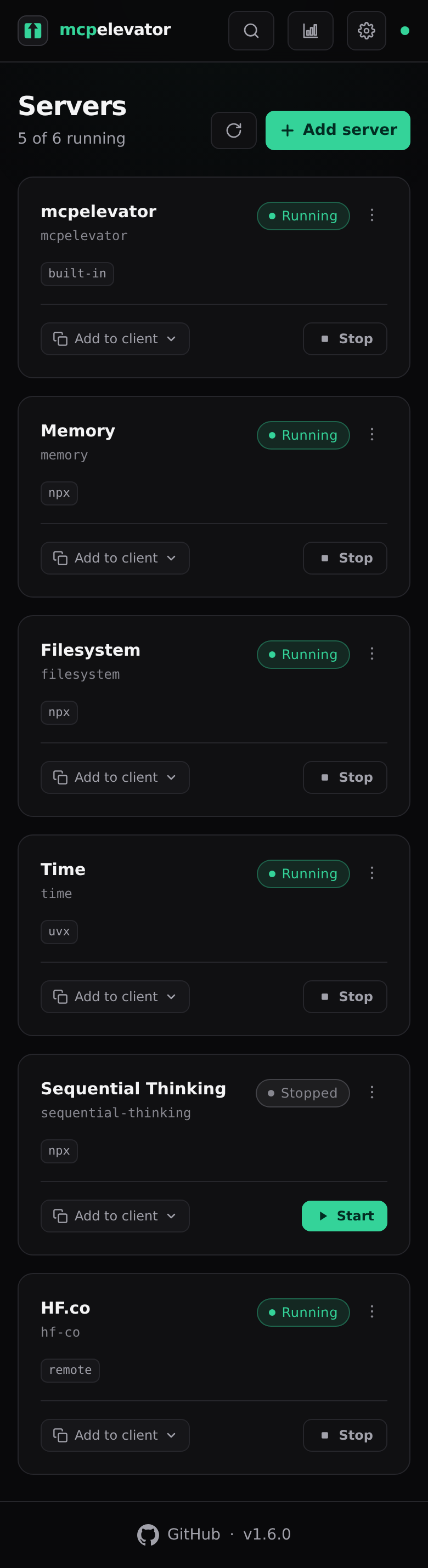
Built for check-ins from your phone.
Security
Two independent layers check every request, and both have to pass. Then the role checks decide what the caller may do.
Always on, against DNS rebinding. A loopback Host only counts when the connection really comes from loopback, so an exposed box can't be fooled by Host: localhost.
none, bearer or oauth for each server, with a default for the rest. Tokens are stored as SHA-256 hashes.
In the default auto mode, /api requires a login as soon as the config says the box is reachable off-host.
Encrypted at rest, masked in every API response, and turned into install prompts in .mcpb exports.
When on, containers run with --cap-drop ALL, no-new-privileges, PID and memory limits, and secrets passed by name.
None exist by default. A bearer group only opens to a token scoped to it, or an all token.
Authorization, not isolation. Local runners execute as the mcpelevator process user and can read its data directory, including other servers' settings. Roles split up who manages what. They don't sandbox servers from each other. Only give the local-runner permission to people you'd trust with the machine.
Quickstart
Steps 1 to 3 get you a working server on a URL. Steps 4 to 6 add the groups, tokens and users that make it yours.
Pick how you want to host it. Data persists in a volume, and the port is published to loopback only until you say otherwise.
$ git clone https://github.com/pacnpal/mcpelevator
$ cd mcpelevator
$ docker compose up -d --build
# open http://127.0.0.1:8080
The Docker runner is off by default. The compose file shows both ways to give it a daemon, including an isolated Docker-in-Docker sidecar.
Install mcpelevator from Community Applications. The template lives in pacnpal/unraid-templates and comes set up for a headless box: host networking so the LAN gate sees real client IPs, appdata at /mnt/user/appdata/mcpelevator, and LAN access on from the first boot.
Full walkthrough: docs/unraid.md.
Two terminals, each starting at the repository root.
# terminal 1: control plane on http://127.0.0.1:8080
$ cd backend && uv sync && uv run uvicorn app.main:app --reload --port 8080
# terminal 2: UI with hot reload on http://localhost:5173
$ cd frontend && npm install && npm run dev
Or make dev-backend and make dev-frontend.
On loopback, the UI and /api are open with no token, so you can set things up right away. Once the instance is reachable off-host (a public base URL, expose mode or LAN access), the control plane requires a login, and the first boot prints an admin token once.
$ docker compose logs mcpelevator | grep -A4 "auth is ON"Save it, since only its hash is kept. If you lose it, MCPE_ADMIN_TOKEN gets you back in. The API examples below assume export T=<your admin token>.
Three ways in. All of them work from the UI too.
$ curl -X POST http://127.0.0.1:8080/api/servers \
    -H "Authorization: Bearer $T" -H 'content-type: application/json' -d '{
  "name": "Memory", "runner": "npx", "command": "npx",
  "args": ["-y", "@modelcontextprotocol/server-memory"],
  "enabled": true
}'
It's live at /s/memory/mcp as soon as it reports Running.
$ curl -X POST http://127.0.0.1:8080/api/servers/import \
    -H "Authorization: Bearer $T" -H 'content-type: application/json' \
    -d @claude_desktop_config.json
Takes a standard {"mcpServers": {…}} file, stdio or remote. Imported servers start disabled so you can review them, mark keys as secret, then enable.
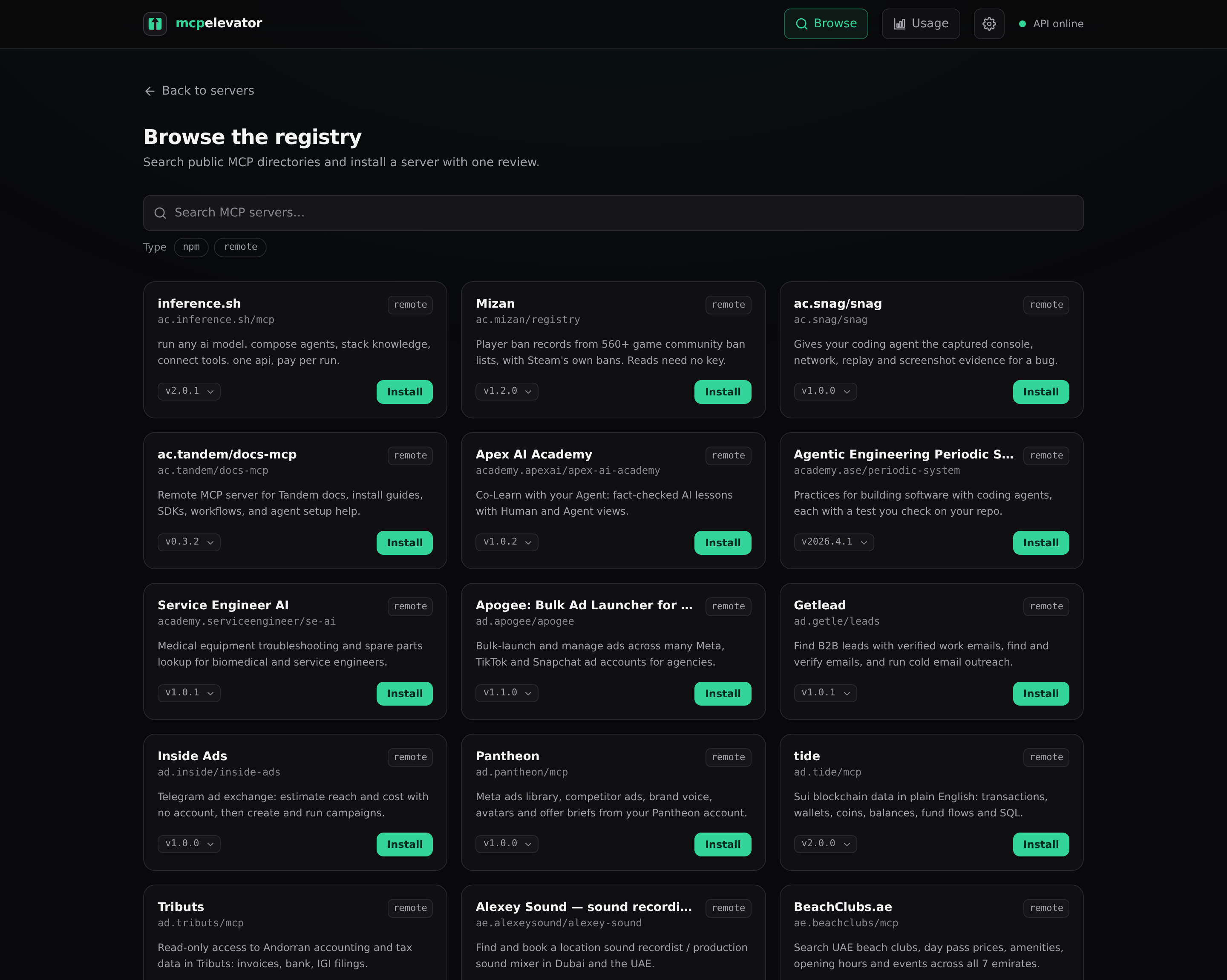
Open Browse, search the MCP Registry or Glama, filter by npm, PyPI, OCI or remote, pick a version, fill in the keys it asks for, and install. Every install shows you the launch spec before it runs anything.
Require bearer tokens by default, make a group so one URL carries several servers, then mint a token that opens only that group.
# servers set to "inherit" (the default) now require a token
$ curl -X PATCH http://127.0.0.1:8080/api/settings \
    -H "Authorization: Bearer $T" -H 'content-type: application/json' \
    -d '{"default_auth_provider": "bearer"}'

# every server, present and future, behind /g/team/mcp
$ curl -X PUT http://127.0.0.1:8080/api/groups/team \
    -H "Authorization: Bearer $T" -H 'content-type: application/json' \
    -d '{"members": "*"}'

# a token for your laptop that opens that group and nothing else
$ curl -X POST http://127.0.0.1:8080/api/tokens \
    -H "Authorization: Bearer $T" -H 'content-type: application/json' \
    -d '{"name": "laptop", "scope": "group:team"}'
Pass a list of server ids instead of "*" to pick members by hand. Everything here is also in Settings.
Create a member, choose whether they can run code on the box, and mint their login token. They paste it at the same login screen you use.
$ curl -X POST http://127.0.0.1:8080/api/users \
    -H "Authorization: Bearer $T" -H 'content-type: application/json' \
    -d '{"name": "alice", "role": "member", "local_runners": false}'

# shown once: hand it to alice
$ curl -X POST http://127.0.0.1:8080/api/users/<id>/credentials \
    -H "Authorization: Bearer $T"
Or use Settings → Users. Alice only ever sees the servers they create or that you assign to them.
Streamable HTTP clients take the URL and a header directly:
{
  "mcpServers": {
    "team": {
      "type": "http",
      "url": "https://mcp.example.com/g/team/mcp",
      "headers": { "Authorization": "Bearer mcpe_…" }
    }
  }
}
A client that can only launch a local command goes through mcp-remote:
{
  "mcpServers": {
    "team": {
      "command": "npx",
      "args": ["-y", "mcp-remote",
        "https://mcp.example.com/g/team/mcp",
        "--header", "Authorization:${AUTH}"],
      "env": { "AUTH": "Bearer mcpe_…" }
    }
  }
}
You rarely write these by hand. Every server's copy menu has the right snippet for:
claude.ai web and mobile connectors only speak OAuth. The exposure guide has three tested recipes, including Cloudflare Access.
FAQ
No. Local runners run as the mcpelevator process user, and roles control who manages what, not what a process can touch. If you need more separation, use the Docker runner with its Docker-in-Docker sidecar, and only give the local-runner permission to people you'd trust with the machine.
Anything that speaks Streamable HTTP connects directly. Stdio-only clients go through mcp-remote. claude.ai web and mobile connectors need OAuth, which you can provide with Cloudflare Access or your own authorization server.
The Docker image is the easy path, since it carries every runtime. A source install works with Python, uv and Node on the host.
Hourly counts per server and per tool. Never the arguments or the results.
Yes. Any local server exports as an .mcpb bundle for Claude Desktop, built from the exact launch config the instance runs, with secrets turned into prompts.
Nothing. It's MIT licensed and runs on hardware you already have.
One container on hardware you already own, with every MCP server you use behind it and access you decide.